Password-manager
 # Lockyt
**A zero-knowledge, end-to-end encrypted password manager built for the modern web.**
[](https://react.dev)
[](https://firebase.google.com)
[](https://tailwindcss.com)
[](./LICENSE)
[Live Demo](https://your-lockyt-url.com) · [Chrome Extension](#chrome-extension) · [Report Bug](https://github.com/yourusername/lockyt/issues) · [Request Feature](https://github.com/yourusername/lockyt/issues)
# Lockyt
**A zero-knowledge, end-to-end encrypted password manager built for the modern web.**
[](https://react.dev)
[](https://firebase.google.com)
[](https://tailwindcss.com)
[](./LICENSE)
[Live Demo](https://your-lockyt-url.com) · [Chrome Extension](#chrome-extension) · [Report Bug](https://github.com/yourusername/lockyt/issues) · [Request Feature](https://github.com/yourusername/lockyt/issues)
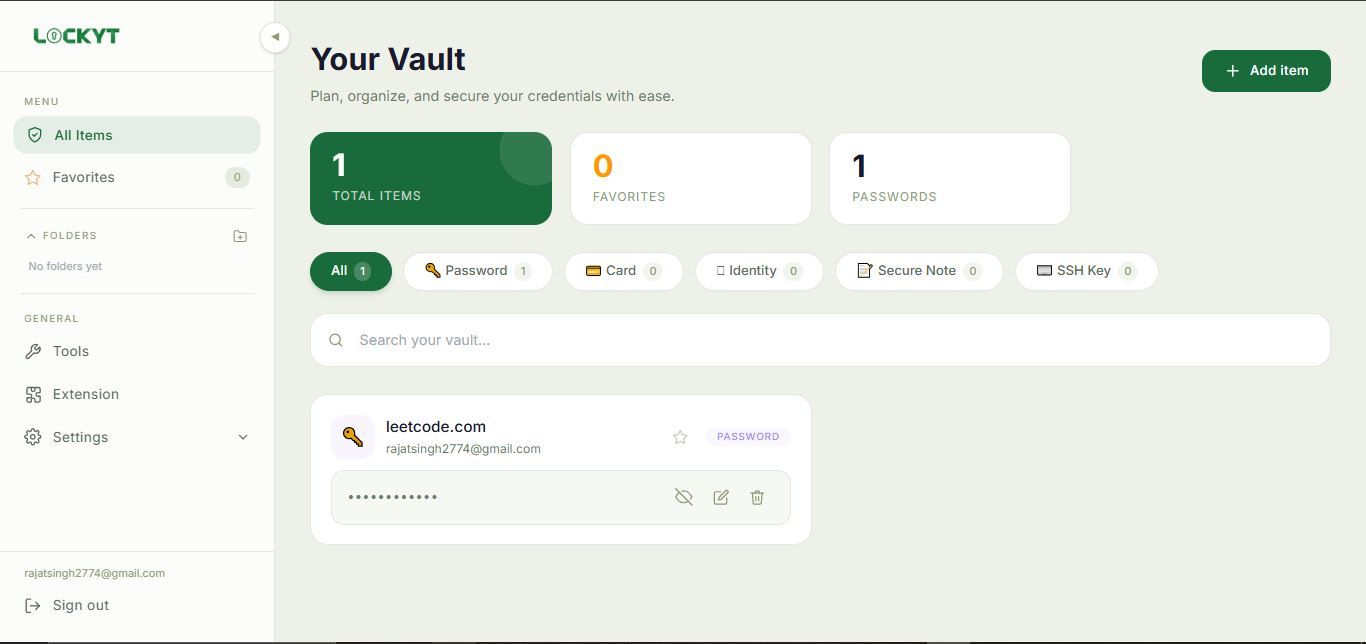
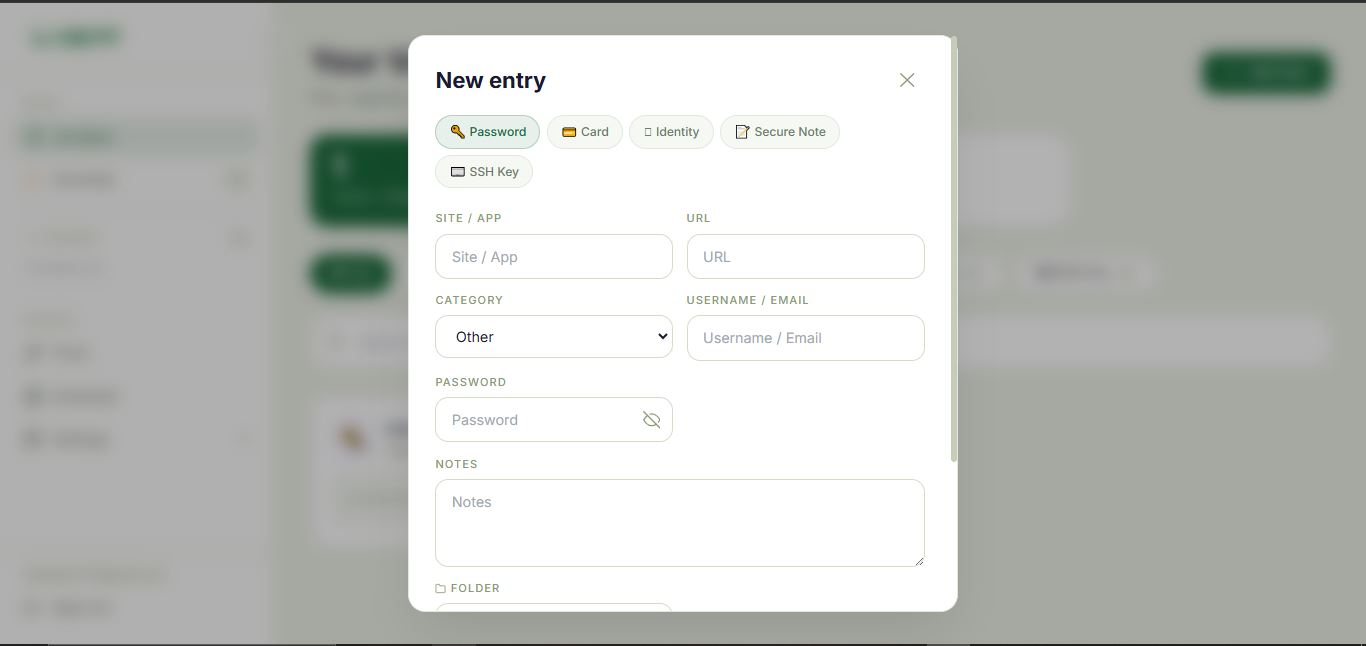
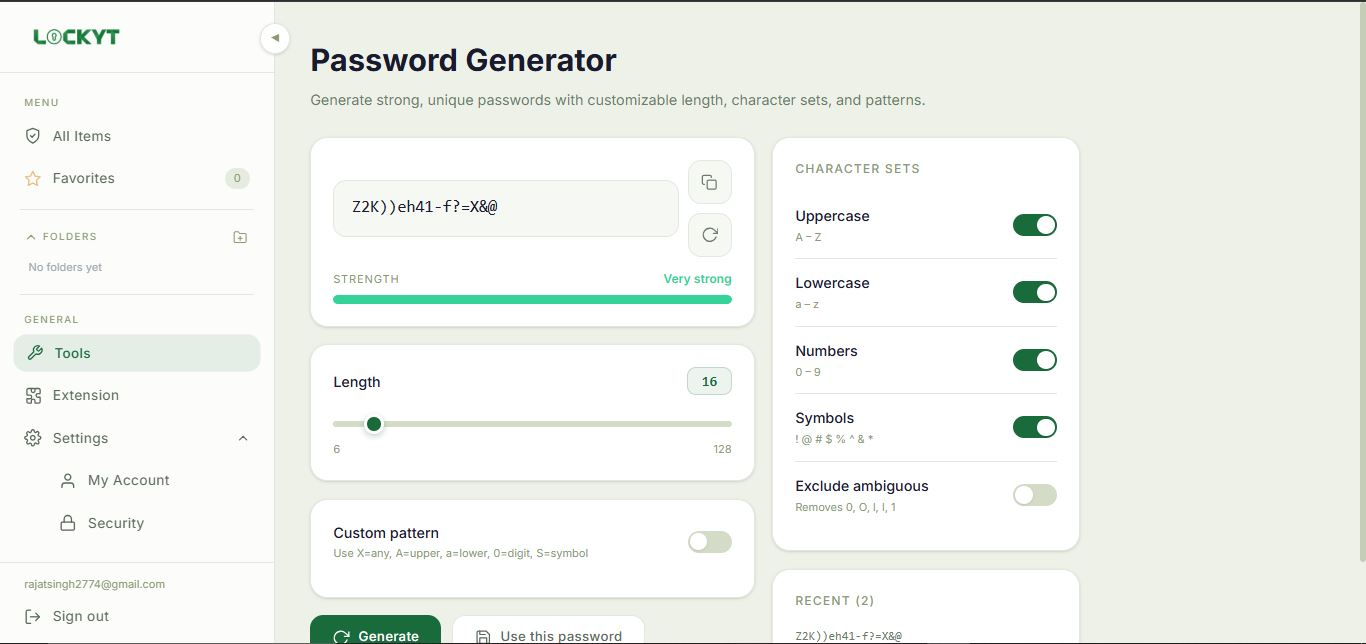
📸 Screenshots
 |
| 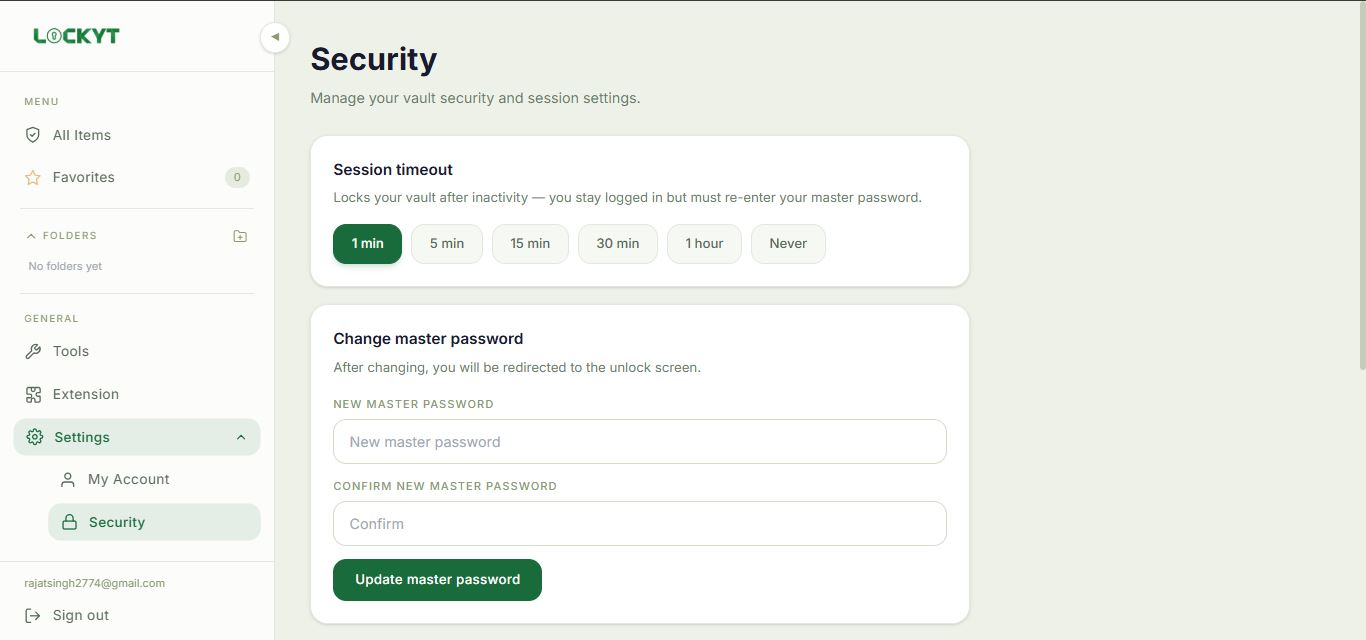 |
| Vault Entry | Password Generator |
|:-----------:|:-----------------:|
|
|
| Vault Entry | Password Generator |
|:-----------:|:-----------------:|
|  |
|  |
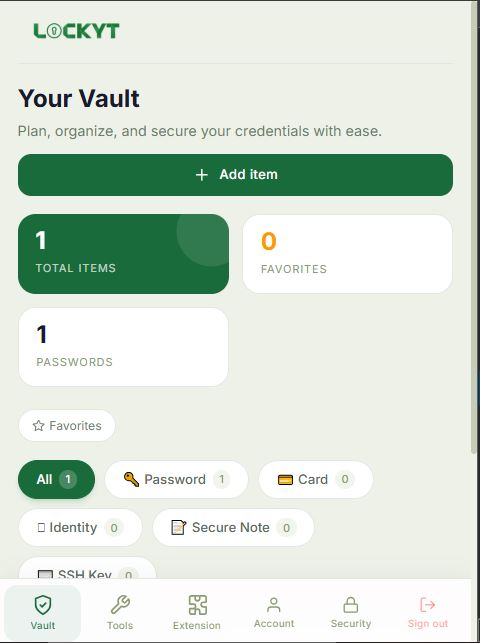
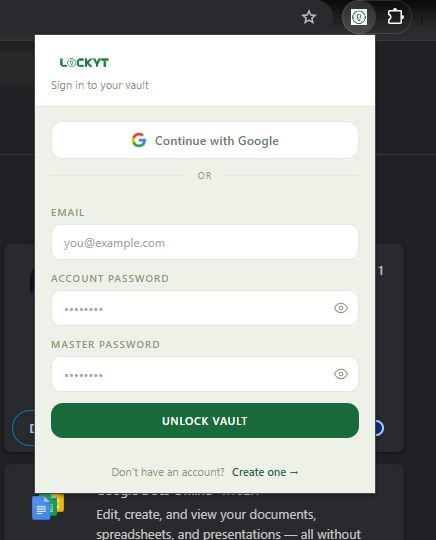
| Mobile View | Chrome Extension |
|:-----------:|:----------------:|
|
|
| Mobile View | Chrome Extension |
|:-----------:|:----------------:|
|  |
|  |
|
🔐 What is Lockyt?
Lockyt is a full-stack password manager that stores, encrypts, and syncs your credentials across all devices — without ever exposing your plaintext data to the server.
All encryption and decryption happens entirely in your browser. Your master password is never transmitted, never stored, and never seen by anyone but you. Even if the database were compromised, attackers would only find AES-256 encrypted ciphertext.
✨ Features
Vault
- 5 secure item types — Passwords, Credit Cards, Identities, Secure Notes, SSH Keys
- Real-time sync — Firestore
onSnapshotkeeps your vault live across all devices and tabs - Search & filter — Quickly find entries by name, username, or item type
- Copy to clipboard — One-click copy with auto-clear after 30 seconds
Security
- Zero-knowledge encryption — AES-256-GCM with client-side key derivation
- PBKDF2 key derivation — 600,000 SHA-256 iterations, salted with your Firebase UID
- Breach detection — Checks passwords against HaveIBeenPwned using k-anonymity (your password never leaves your device)
- Session timeout — Automatically locks vault after configurable inactivity period
Tools
- Password generator — Customisable length (6–128), character sets, and custom patterns
Cross-device
- Works on all platforms — Desktop, tablet, and mobile responsive
- Chrome Extension — Autofills credentials on any website directly from your vault
- Smart autofill — Auto-fills if one match, shows a picker if multiple
🏗️ Architecture
┌─────────────────────────────────────────────────────┐
│                    Client (Browser)                  │
│                                                      │
│  ┌─────────────┐    ┌──────────────┐                │
│  │  React App  │    │   Chrome     │                │
│  │  (Vite)     │    │  Extension   │                │
│  └──────┬──────┘    └──────┬───────┘                │
│         │                  │                         │
│  ┌──────▼──────────────────▼───────┐                │
│  │         crypto.js               │                │
│  │  PBKDF2 key derivation          │                │
│  │  AES-256-GCM encrypt/decrypt    │                │
│  │  (Web Crypto API — no deps)     │                │
│  └──────────────┬──────────────────┘                │
└─────────────────┼───────────────────────────────────┘
                  │ Encrypted ciphertext only
┌─────────────────▼───────────────────────────────────┐
│                   Firebase                           │
│                                                      │
│  ┌──────────────┐    ┌──────────────┐               │
│  │ Firebase Auth│    │  Firestore   │               │
│  │ (Identity)   │    │  (Storage)   │               │
│  └──────────────┘    └──────────────┘               │
└─────────────────────────────────────────────────────┘
Data stored in Firestore
users/
└── {uid}/
    ├── vault/
    │   └── meta              ← encrypted canary (verifies master password)
    └── passwords/
        └── {entryId}
            ├── site          ← plain  (for search)
            ├── username      ← plain  (for display)
            ├── password      ← AES-256-GCM encrypted
            ├── cardNumber    ← AES-256-GCM encrypted
            ├── notes         ← AES-256-GCM encrypted
            └── ...

---

## 🚀 Getting Started

### Prerequisites

- Node.js 18+
- A Firebase project with **Firestore** and **Authentication** enabled

### 1. Clone the repository

```bash
git clone https://github.com/Rajat2774/Password-manager.git
cd Lockora
2. Install dependencies
npm install
3. Configure Firebase
Create src/firebase.js with your Firebase config:
import { initializeApp } from "firebase/app";
import { getAuth, GoogleAuthProvider } from "firebase/auth";
import { getFirestore } from "firebase/firestore";

const firebaseConfig = {
  apiKey:            "YOUR_API_KEY",
  authDomain:        "YOUR_PROJECT.firebaseapp.com",
  projectId:         "YOUR_PROJECT_ID",
  storageBucket:     "YOUR_PROJECT.appspot.com",
  messagingSenderId: "YOUR_SENDER_ID",
  appId:             "YOUR_APP_ID",
};

const app = initializeApp(firebaseConfig);
export const auth = getAuth(app);
export const googleProvider = new GoogleAuthProvider();
export const db = getFirestore(app);
4. Set Firestore security rules
In the Firebase Console → Firestore → Rules:
rules_version = '2';
service cloud.firestore {
  match /databases/{database}/documents {
    match /users/{userId}/vault/{document} {
      allow read, write: if request.auth != null && request.auth.uid == userId;
    }
    match /users/{userId}/passwords/{document} {
      allow read, write: if request.auth != null && request.auth.uid == userId;
    }
    }
  }
5. Run locally
npm run dev
🧩 Chrome Extension
The Lockyt Chrome Extension enables autofill on any website.
Install from source
- Open
chrome://extensions - Enable Developer mode
- Click Load unpacked
- Select the
lockora-extension/folder
Configure
Edit lockora-extension/firebase-config.js with your Firebase config (same as above).
How it works
User visits a site with a login form
            ↓
Extension detects the form (content.js)
            ↓
Queries Firestore for matching entries (background.js)
            ↓
1 match  →  Auto-fills silently + shows toast
N matches →  Shows picker popup to select which credential
📁 Project Structure
lockora/
├── src/
│   ├── pages/
│   │   ├── SignIn.jsx
│   │   ├── SignUp.jsx
│   │   ├── UnlockVault.jsx
│   │   ├── Dashboard.jsx
│   │   └── SharePage.jsx
│   ├── components/
│   │   └── dashboard/
│   │       ├── Sidebar.jsx
│   │       ├── VaultCard.jsx
│   │       ├── VaultModal.jsx
│   │       ├── PasswordGenerator.jsx
│   │       ├── SecurityCenter.jsx
│   │       ├── ShareModal.jsx
│   │       ├── AccountSettings.jsx
│   │       ├── SecuritySettings.jsx
│   │       └── Icons.jsx
│   ├── utils/
│   │   ├── crypto.js          ← AES-256-GCM + PBKDF2
│   │   ├── breach.js          ← HaveIBeenPwned k-anonymity
│   │   └── vault.js           ← Shared helpers
│   ├── constants/
│   │   └── vault.js           ← VAULT_TYPES, FIELDS definitions
│   └── firebase.js
├── lockora-extension/
│   ├── manifest.json
│   ├── background.js
│   ├── content.js
│   ├── firebase-config.js
│   └── popup/
│       ├── popup.html
│       ├── popup.js
│       └── popup.css
└── public/
🔒 Security Model
| Layer | Implementation |
|---|---|
| Key derivation | PBKDF2-SHA256, 600,000 iterations, UID as salt |
| Encryption | AES-256-GCM with random IV per entry |
| Master password | Never stored, never transmitted — derived to key in browser only |
| Canary verification | Encrypted known value used to verify master password without storing it |
| Breach detection | k-anonymity — only first 5 chars of SHA-1 hash sent to HIBP API |
| Firebase rules | Per-user Firestore rules — no cross-user data access possible |
🗺️ Roadmap
- Vault export / import (Bitwarden CSV compatible)
- TOTP / 2FA code storage
- Firefox extension
- Dark / light theme toggle
- Audit log (per-entry view history)
🤝 Contributing
Contributions are welcome. Please open an issue first to discuss what you’d like to change.
# Fork the repo, then:
git checkout -b feature/your-feature
git commit -m "feat: add your feature"
git push origin feature/your-feature
# Open a Pull Request
📄 License
Distributed under the MIT License. See LICENSE for details.